Online questionnaire
With the online questionnaire module (Survey tool in the interface) you collect network data directly from respondents. Participants receive a link, answer questions about themselves, name people from their environment and describe the relations between those people.
What is special: the answers do not end up in a separate analysis file but directly as actors, attributes and relations in your project. Whoever is named in an interview is afterwards an actor in the actor table and can be drawn on the network map.
A note on language: this module's interface is English only – even with German selected. The question texts your respondents see you of course write in whatever language you like.
Note: a questionnaire belongs to the project it was created in – as does the data collected through it. Viewing questionnaires is open to every member; creating, changing and publishing them is reserved for Editor and above.
Caution: for participants without an account of their own to be able to answer, a proxy user must be set in Organisation and team. Without it, every participation link reports No interview found.
Basic terms
| Term | Meaning |
|---|---|
| Ego | The person being surveyed |
| Alter / alteri | The people ego names in the interview |
| Name generator | The question with which ego names alteri |
| Name interpreter | A question that records a property per named alter |
| Alter-alter relation | Whether and how the named people know one another |
A questionnaire consists of pages, each holding one or more elements. The interview shows one page at a time; next and back page through it.
The most important decision: free recall or roster
Before you create the first element, settle a question that decides whether the whole survey succeeds: is the group in question known in advance?
| Free recall | Predefined name list (roster) | |
|---|---|---|
| Element | Namegenerator: simple input… | Namegenerator: Predefined name list… |
| Respondents type names | yes | no, they tick |
| Suited to | open, unknown networks | bounded groups: a class, a department, a club |
| Spellings | arbitrary – “M. Reuß”, “Martina R.”, “martina reuss” | uniform |
| Result | one new actor per mention | exactly one actor per person |
Caution – the commonest and costliest mistake. With free recall MyNetworkmap creates a new actor for every typed mention. If sixteen respondents name four colleagues each, you end up with around eighty actors, many of whom are the same person. No network can be computed from that, and merging them afterwards through Bulk action → Merge actors is laborious handwork.
For any whole-network study in a known group the predefined name list is therefore not the more convenient choice but the only correct one. Use case 1 shows the full procedure.
And who exactly is answering?
Ego has to be identified too. There are two routes for that as well:
- Ego types their name into an ego text question. Easy to set up – and subject to the same duplication problem.
- Individual links. On the network map, Bulk action → Create an individual questionnaire link for every actor generates one personal link per actor. The questionnaire then already knows who is answering; the question about one's own name disappears, and the answers are guaranteed to land on the right actor.
Recommendation: roster and individual links belong together. The network is then clean from the start, and the questionnaire becomes noticeably shorter – everything already in the actor records (gender, department, age) needs no typing.
Managing questionnaires
| Element | Function |
|---|---|
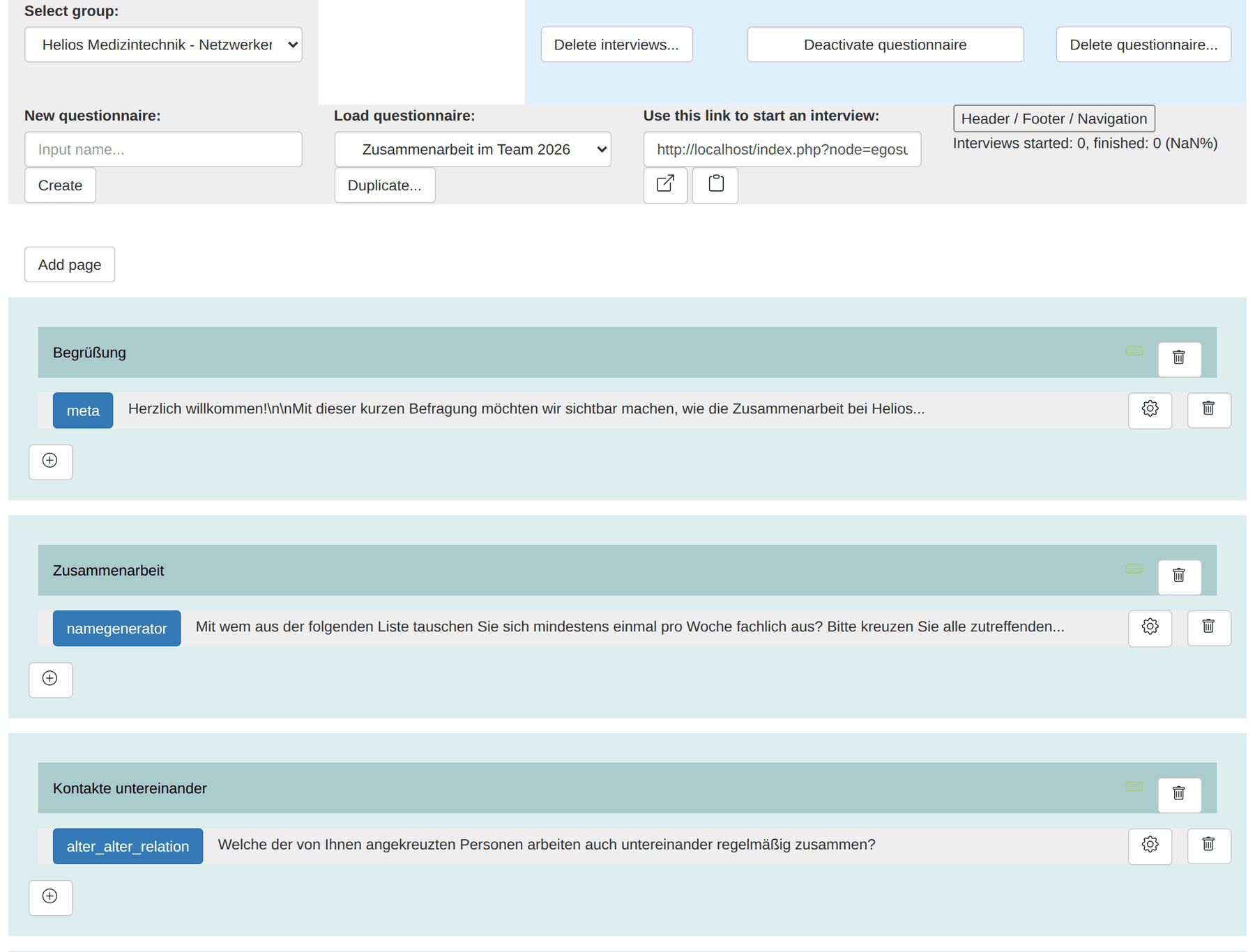
| Select group | The rights group the questionnaire runs under |
| New questionnaire + Create | Create a new questionnaire |
| Load questionnaire | Switch between existing questionnaires |
| Duplicate… | Copy the configuration into another questionnaire |
| Use this link to start an interview | The general participation link, with icons to open and copy it |
| Header / Footer / Navigation | Title, header and footer text, labels of the paging buttons |
| Activate / Deactivate questionnaire | Release or block the questionnaire |
| Delete interviews… | Delete all recorded interviews, keep the questionnaire |
| Delete questionnaire… | Delete the questionnaire |
| Interviews started / finished | Counters of started and completed interviews |
Important: until the questionnaire is activated with Activate questionnaire, participants cannot fill it in – the link reports No interview found.
Caution: Delete interviews… deletes the interviews but not the actors and relations that arose from them; the dialog says so explicitly. If you really want to start over, delete the actors in the actor table as well.
It also invalidates individual links: they hang off the interview records. After deleting you have to regenerate the links through the bulk action – and distribute them again.
Pages and elements
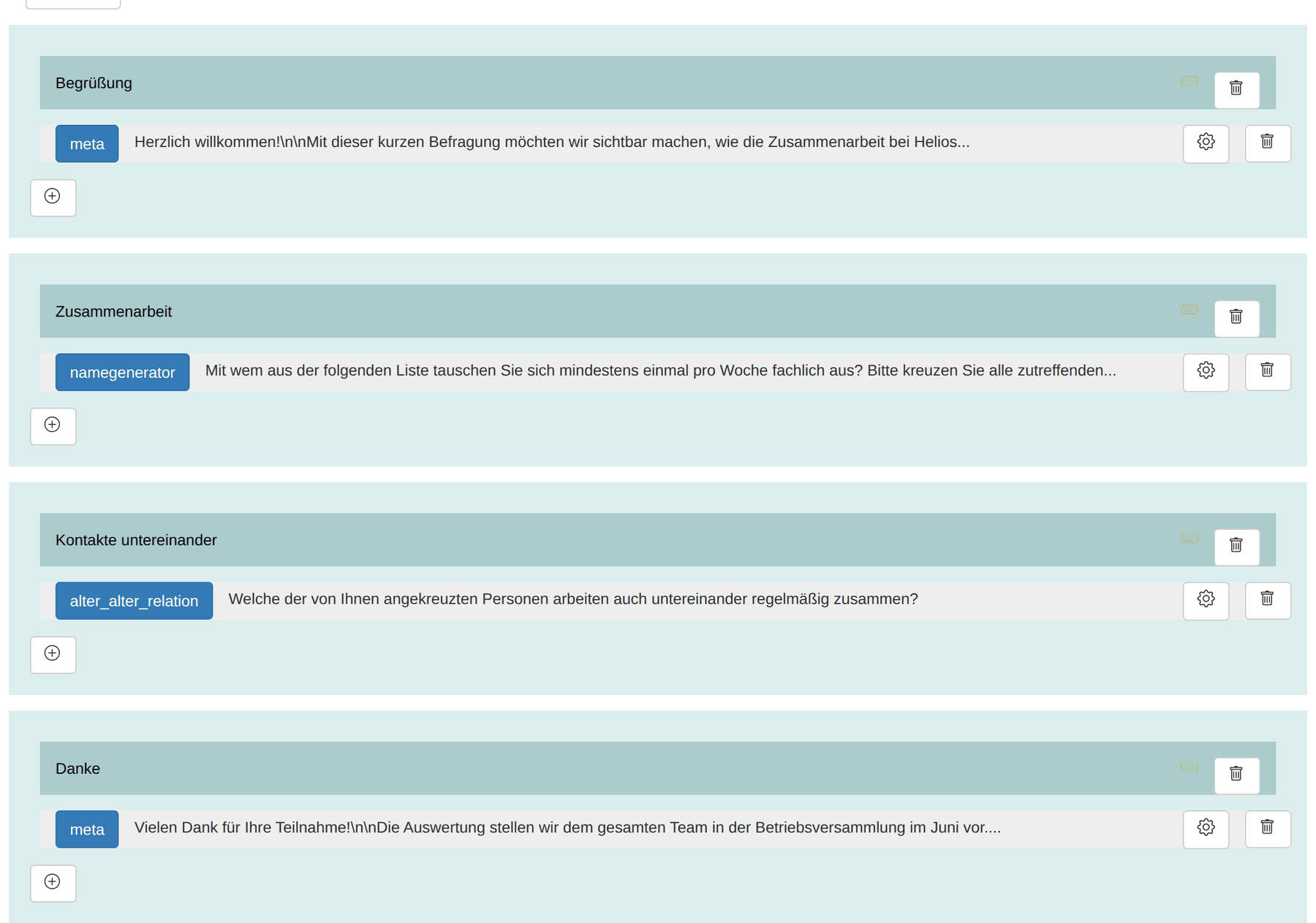
- Add page creates a page. New pages are called new page; clicking the title turns it into an input field. The new name is applied as soon as the field loses focus – that is, when you click elsewhere.
- The ⊕ below a page adds an element to it.
- Every element shows its type on the left (meta, ego, namegenerator, …) and the beginning of the question text next to it.
- The gear icon reopens the configuration; confirm changes with Update.
- The bin icon deletes the element or the whole page.
- Pages and elements can be reordered by dragging.
Creating an element
- Click the ⊕ of the page.
- Choose the element type from the dropdown.
- Enter the question text in the large field Element question or text….
- Make the type-specific settings.
- Click Save.
Two settings occur with almost every element:
- question must be answered – a required question. If it stays empty, the hint text entered next to it appears and the page does not advance. This setting is on by default.
- Display filter setting – shows an element only if an attribute of the respondent has a particular value.
Caution with alter-alter questions: switch the required flag off here. With six named people there are fifteen pairs; a required field forces respondents to tick something for every single one – including the fourteen who do not know each other. That costs drop-outs.
The three settings that must match
A name interpreter or an alter-alter question only knows which alteri it should deal with if its configuration matches that of the name generator. Three settings must therefore be identical everywhere:
| Setting | Meaning |
|---|---|
| Name attribute | Which attribute holds the name – almost always Name |
| Relation attribute | Which relation the nominations are stored in |
| Attribute value | Which value of that relation is set |
Symptom when they differ: the following page reports No alteri named. although the person has just named some. Then the relation attribute or the attribute value does not match. This is not a problem with the survey but a misconfiguration – and it only shows up in a test interview.
So: fill in every questionnaire completely yourself before sending it out, ideally with a test actor. Then delete the test interviews and the test actor.
The element types
Ego questions
Questions to the respondent themselves. The answer is stored as an attribute value of the ego actor.
| Type | Display |
|---|---|
| Ego: Input text line | Single-line free text; length limited through Input maximum number of characters |
| Ego: Input text field | Multi-line free text |
| Ego: single select: radiobox | Single choice as radio buttons |
| Ego: single select: checkbox | Single choice as checkboxes |
| Ego: single select: dropdown_list | Single choice as a dropdown |
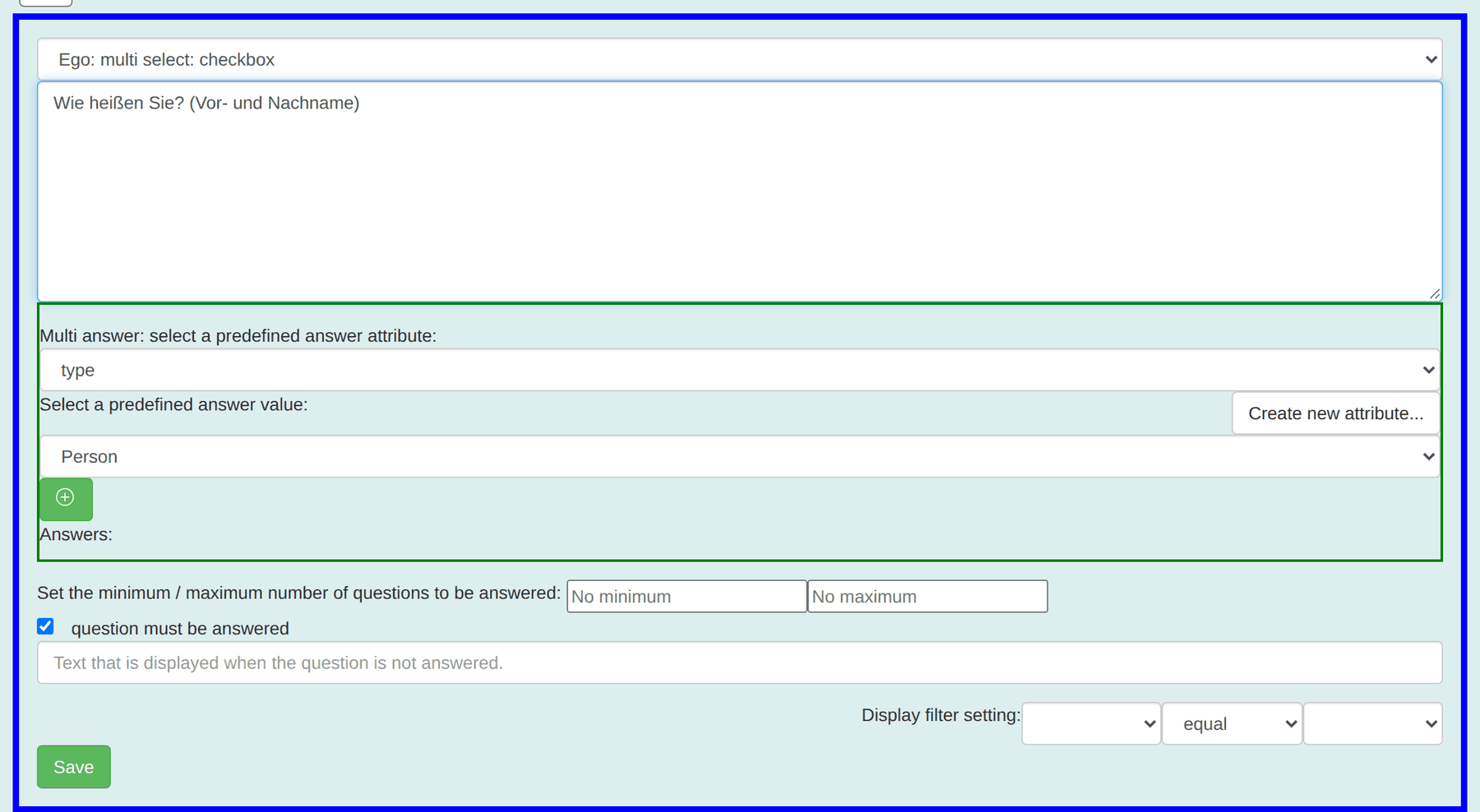
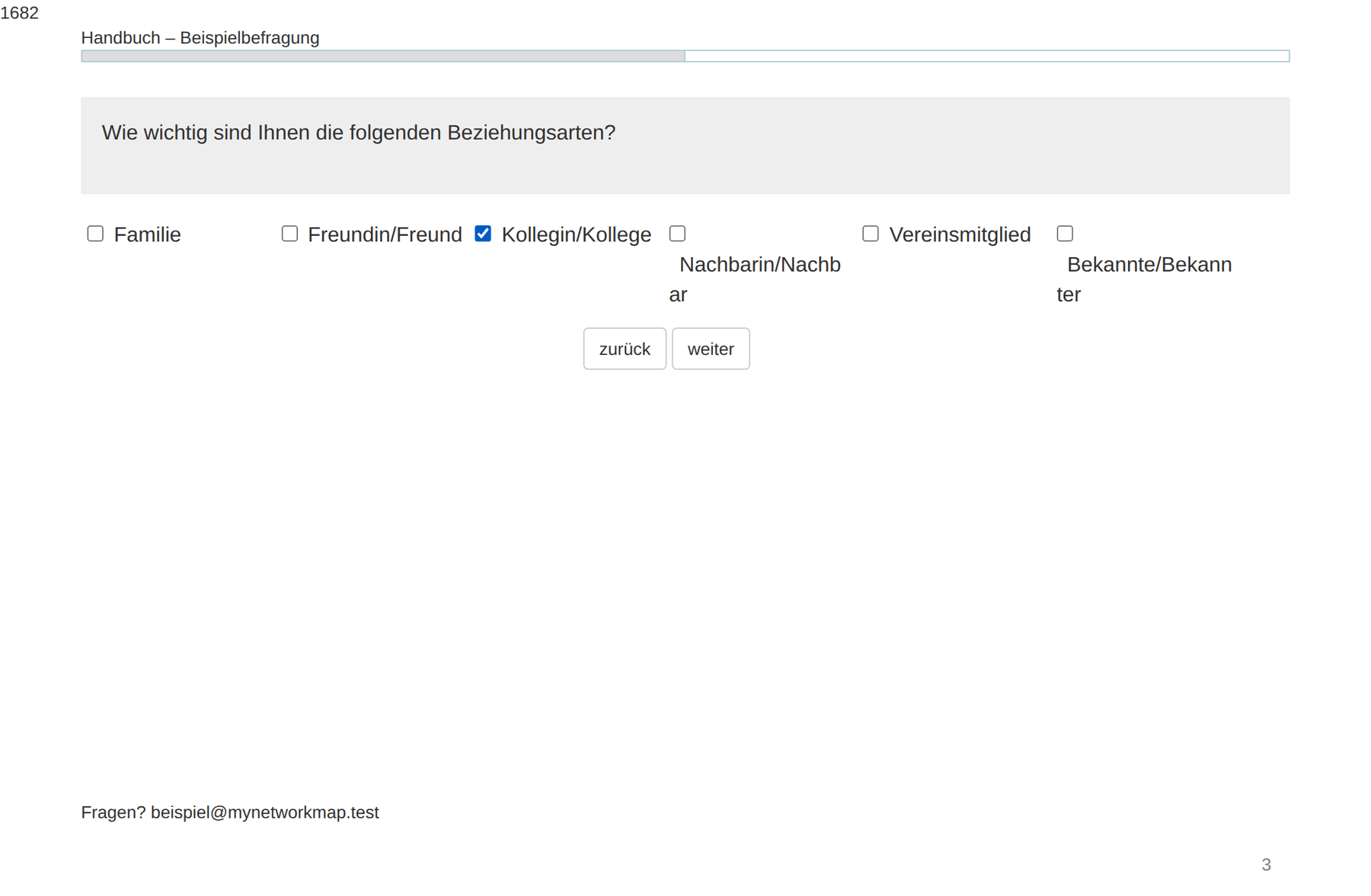
| Ego: multi select: checkbox | Multiple choice |
| Ego: single select: checkbox (row, title top/left) | Matrix question with a shared scale |
The options come from the predefined values of the chosen attribute. Free-text attributes only offer text fields.
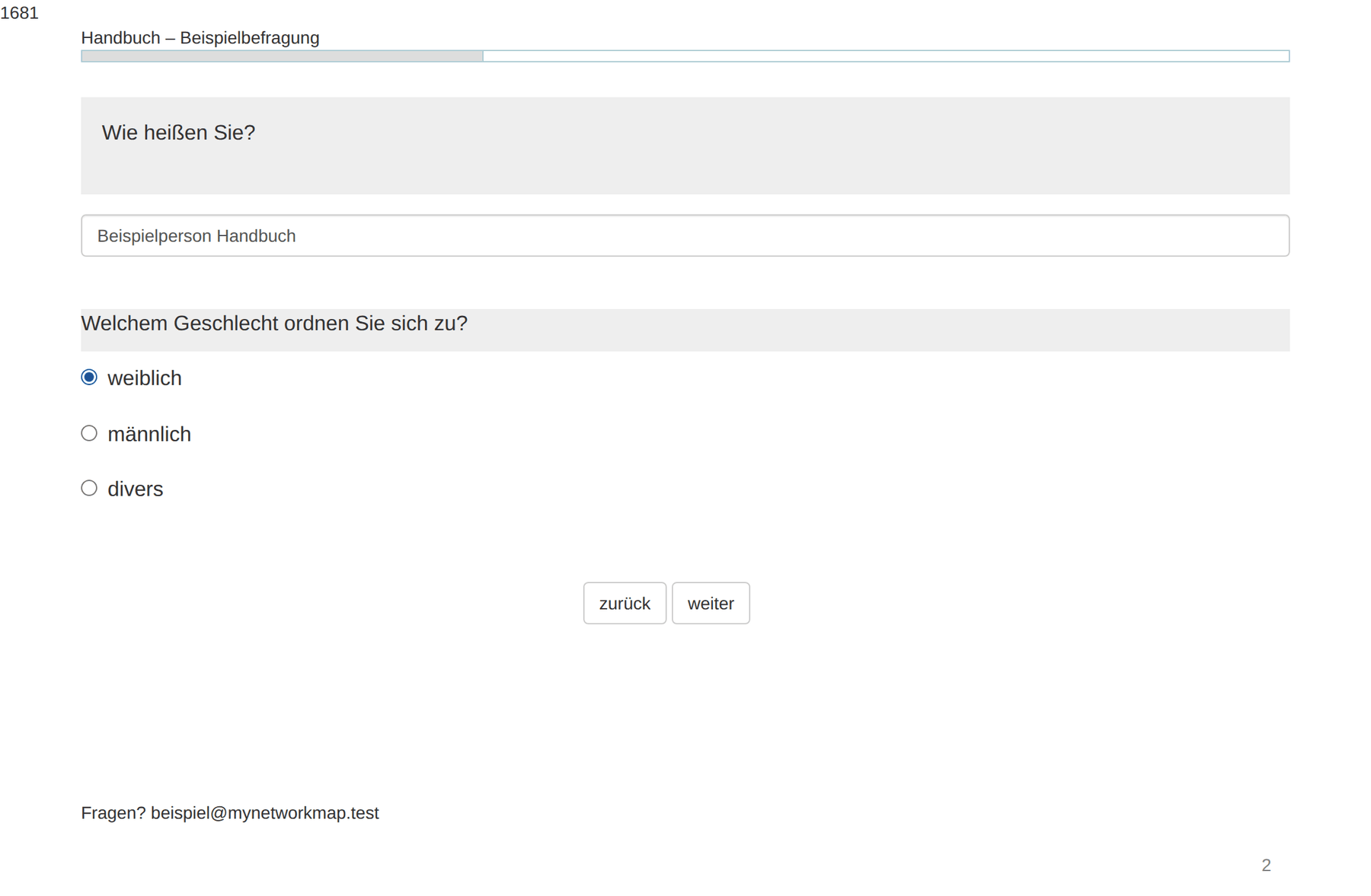
Configuration and display, taking single choice as the example:
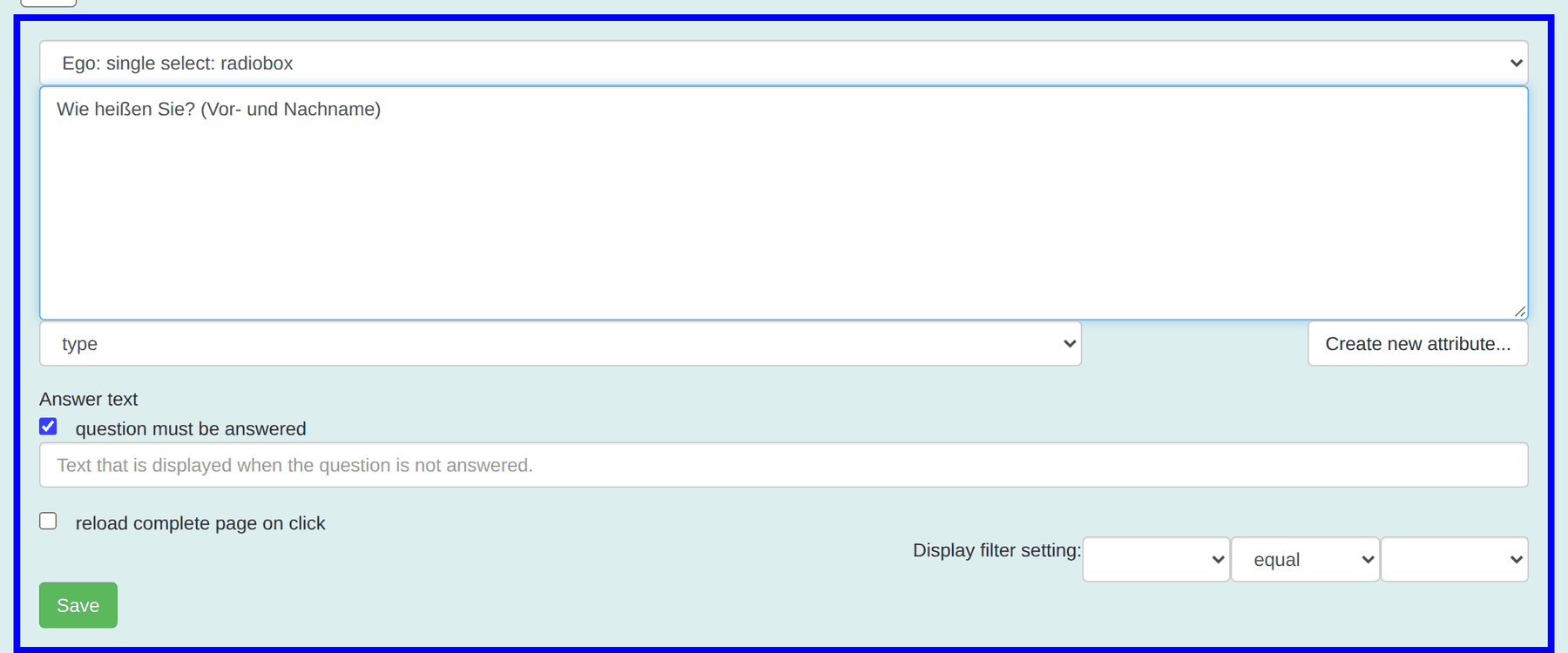
A peculiarity of multiple choice: there every option is an attribute-value pair of its own. You choose attribute and value in turn and add the pair with the green +. For four tickable options you create four pairs.
Name generators
| Type | Behaviour |
|---|---|
| simple input: text line | One input field, names entered one after another |
| simple input: text line actor list | As above, plus the list of names already given |
| Table input: Text line | A numbered table with several rows at once |
| Text line input with Nameinterpretator | Name generator with an immediate follow-up per person |
| Predefined name list by actor attribute filter | Choice from existing actors, filtered by an actor attribute |
| Predefined name list by relation attribute filter | Choice filtered by a relation attribute |
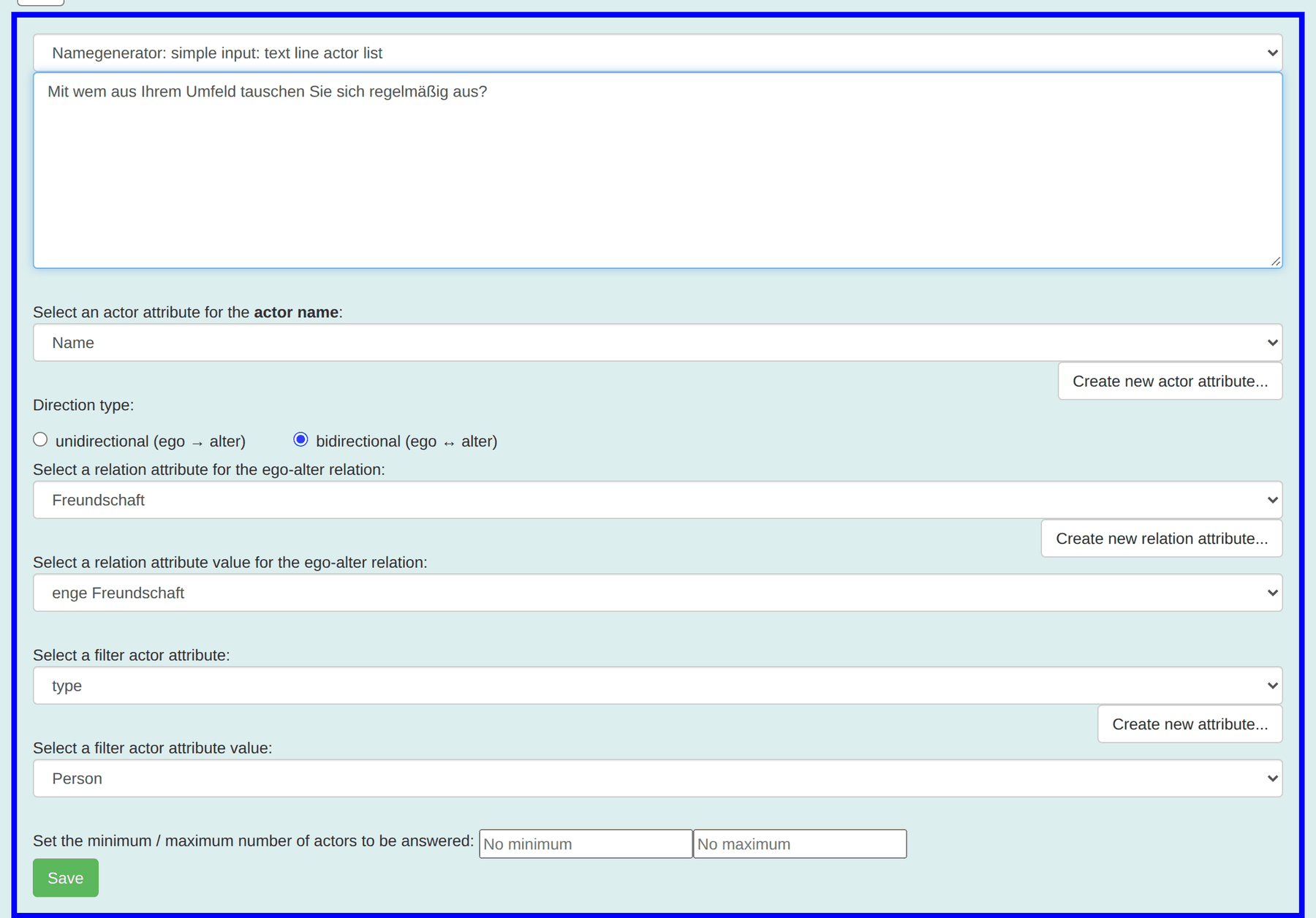
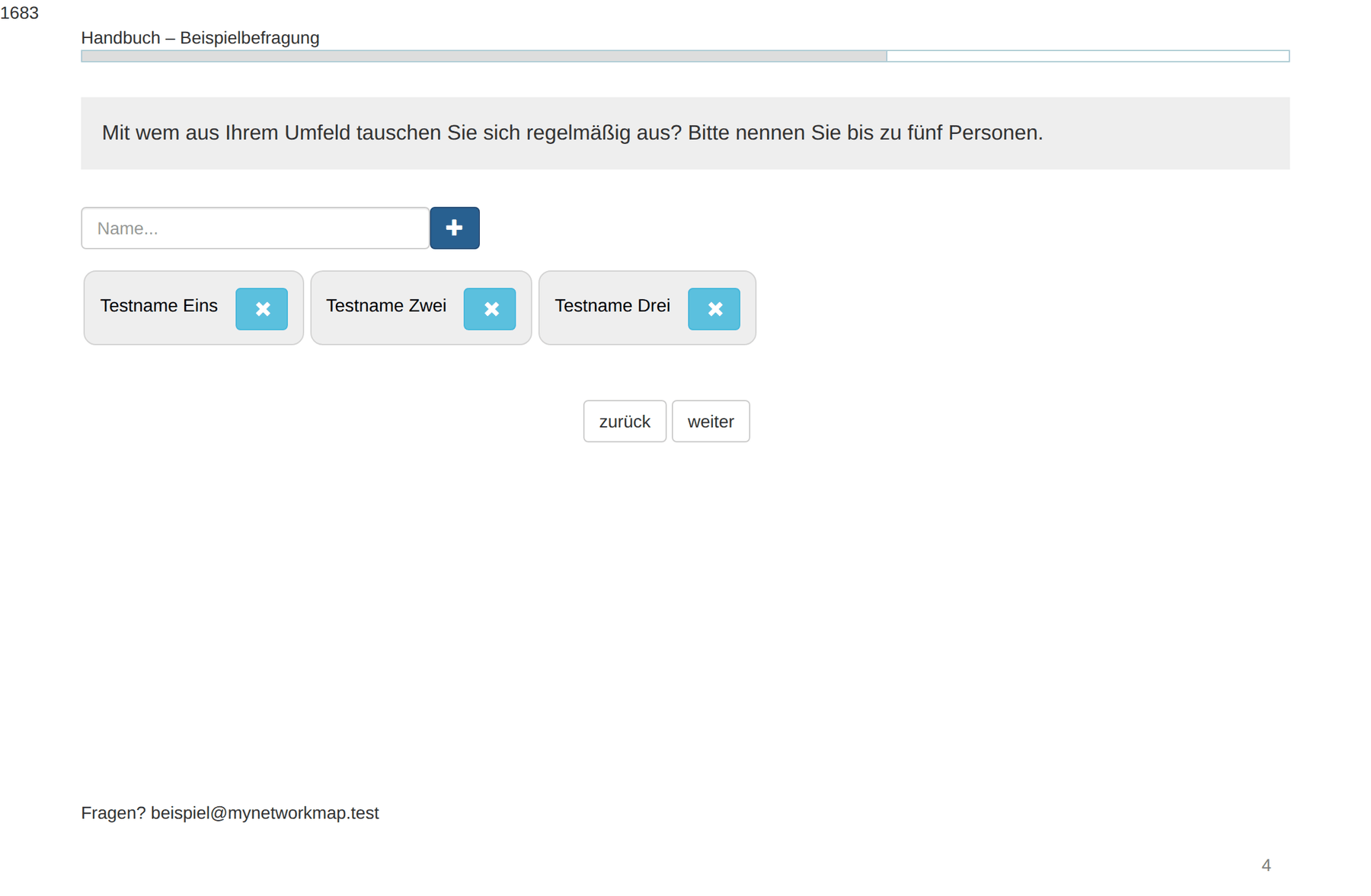
Shared settings:
| Setting | Meaning |
|---|---|
| Name attribute | Where the name is written |
| Relation attribute and value | Which relation arises between ego and alter |
| Direction | Directed or reciprocal |
| Actor type | Person, Organization or Other |
| Minimum / maximum | How many nominations are allowed |
On the number of nominations: a maximum (“name up to five people”) limits the effort but systematically truncates the networks of the well-connected – precisely the people you want to find. A minimum forces nominations that may not exist. Both are methodological decisions, not technical ones.
The predefined name list deserves a closer look:
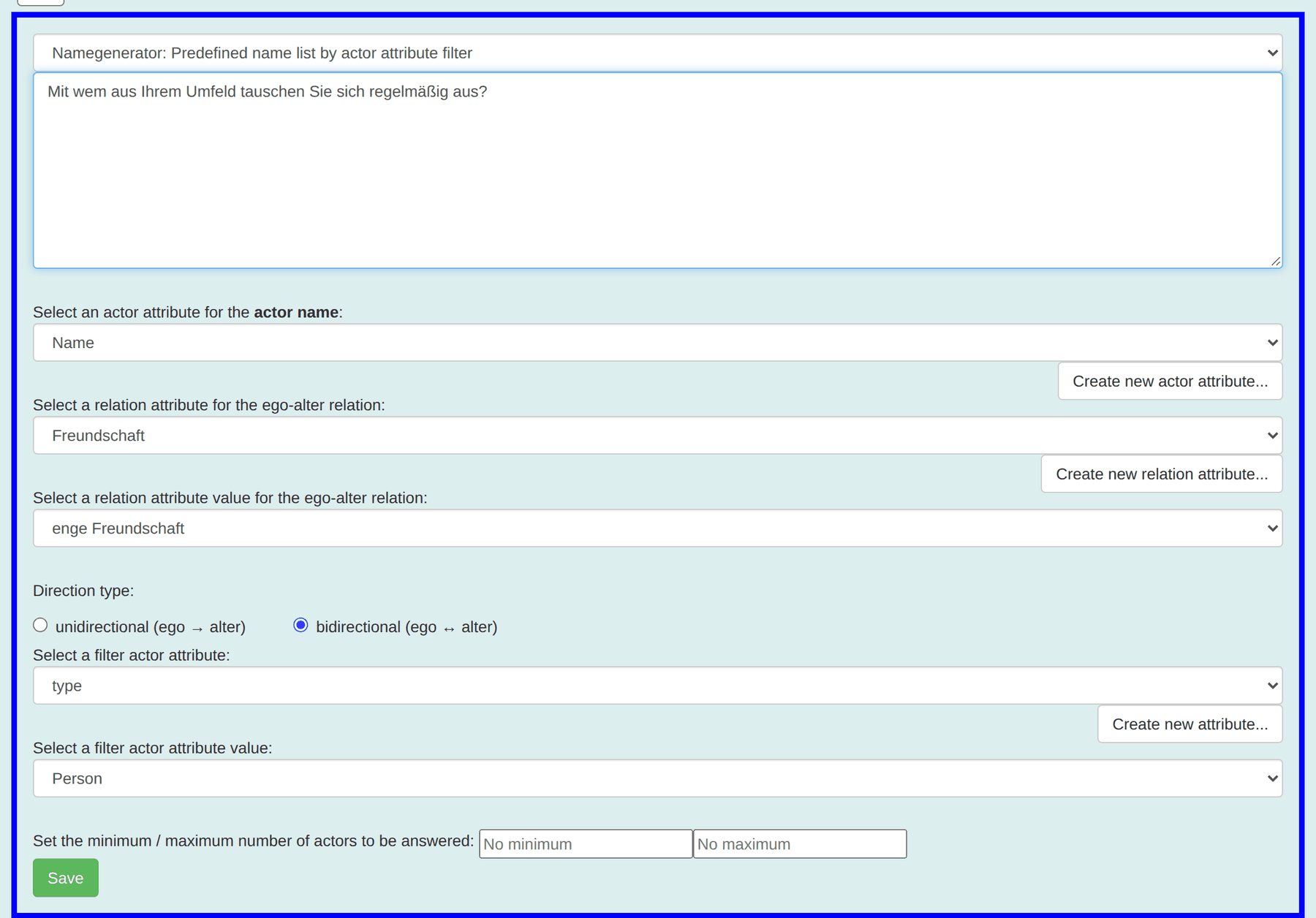
In addition to the settings above you choose a filter attribute and a
filter value here. Only actors with that value appear in the list. In
use case 1 this is type = Person – so all 22
employees can be chosen, but no organisations or places.
Useful: one's own person is left out of the list automatically when the questionnaire was opened through an individual link. Nobody can tick themselves.
Name interpreters
These elements ask the same property about every previously named person. The interview produces a table with one row per alter.
| Type | Display per person |
|---|---|
| Group: single select: checkbox | Single choice with checkboxes |
| Group: single select: dropdown list | A dropdown |
| Group: multi select: checkbox | Multiple choice |
| Group: text: text line | A free-text field |
| EgoAlter: … multi select: checkbox | The answer is stored as a relation between ego and alter, not as a property |
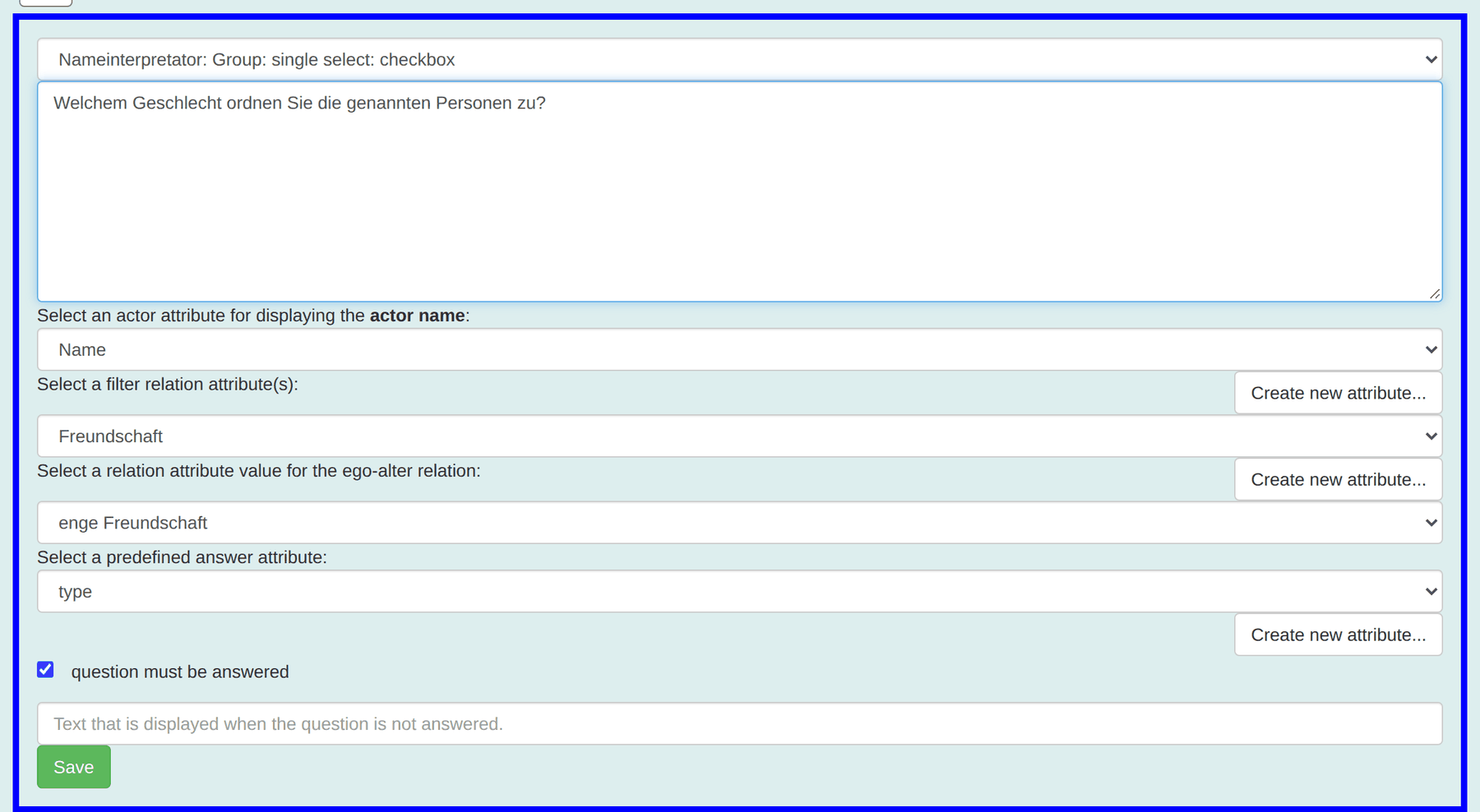
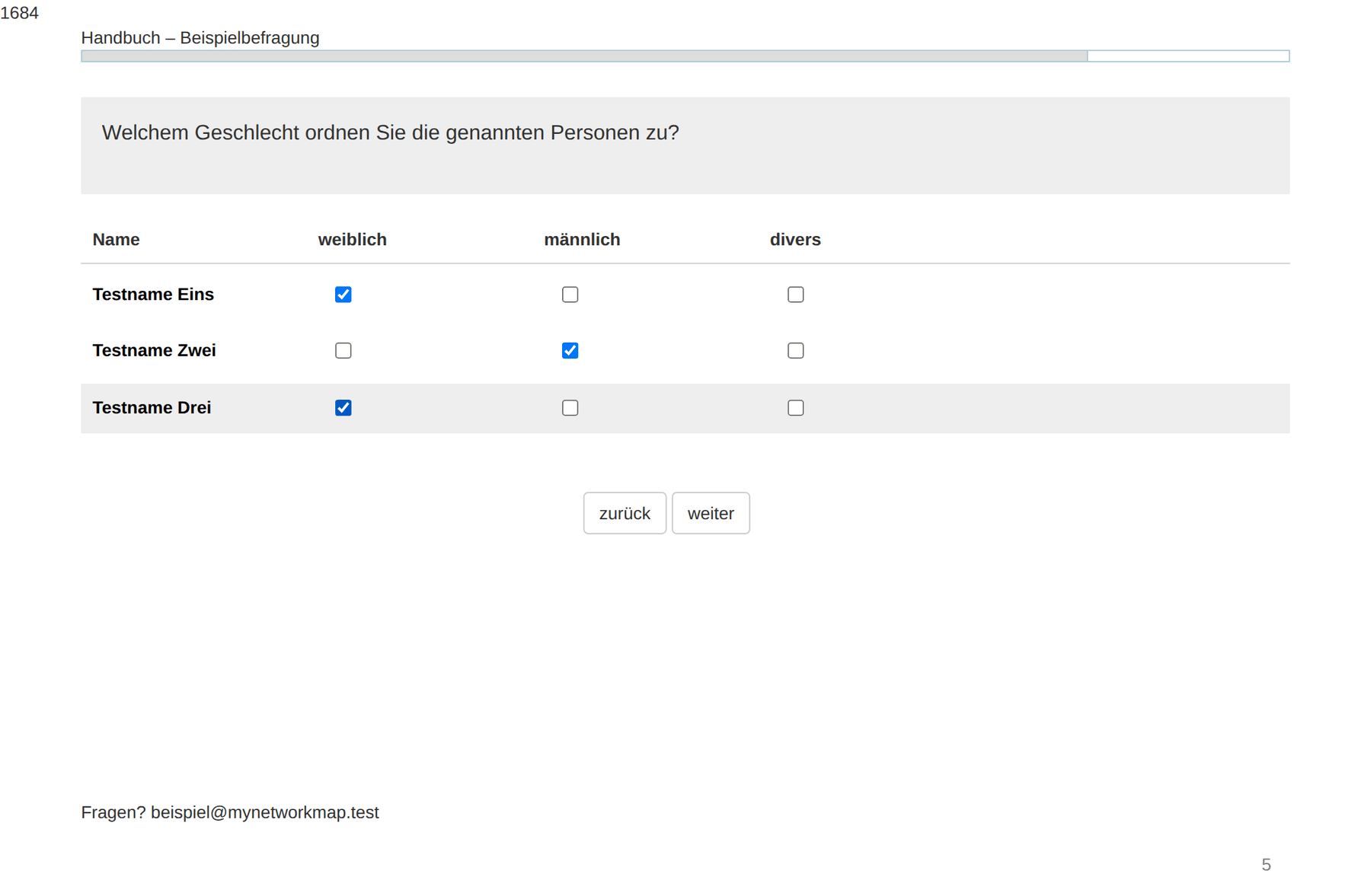
The difference between name interpreter and EgoAlter is fundamental: the first describes the person (“what gender are they?”), the second the relation (“how close are you to them?”). One becomes an actor attribute, the other a relation attribute. Confuse them and the quality of the relation ends up on the node instead of the edge – and cannot be shown as line width.
With a roster, many name interpreters are superfluous. Gender and department are already on the actor. Ask only what you do not already know.
Alter-alter relations
Here it is recorded how the named people are connected among themselves. The interview shows every possible pair as its own row.
| Type | Display per pair |
|---|---|
| Group: single_select: checkbox | Single choice, one column per attribute value |
| Group: text: text line | A free-text field |
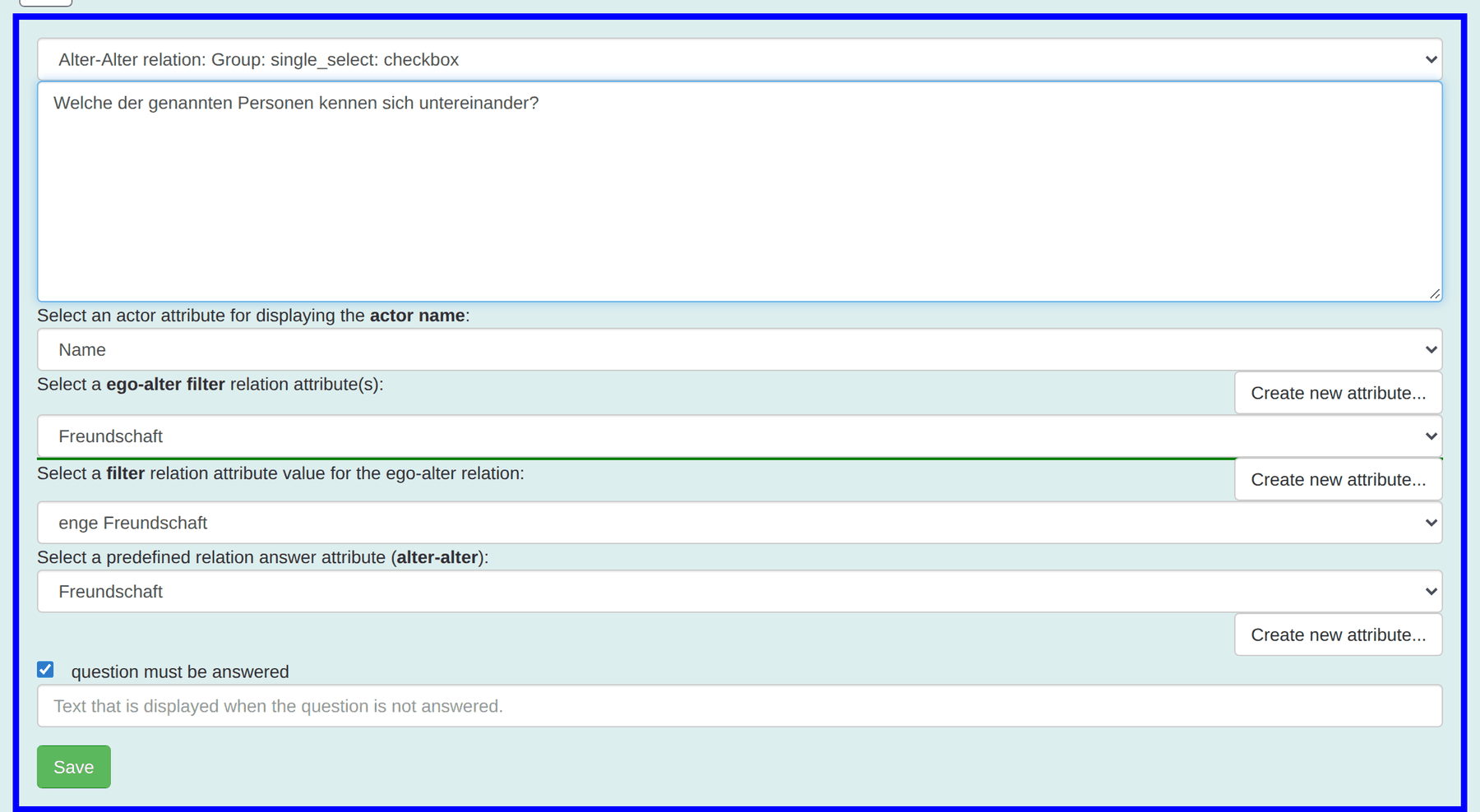
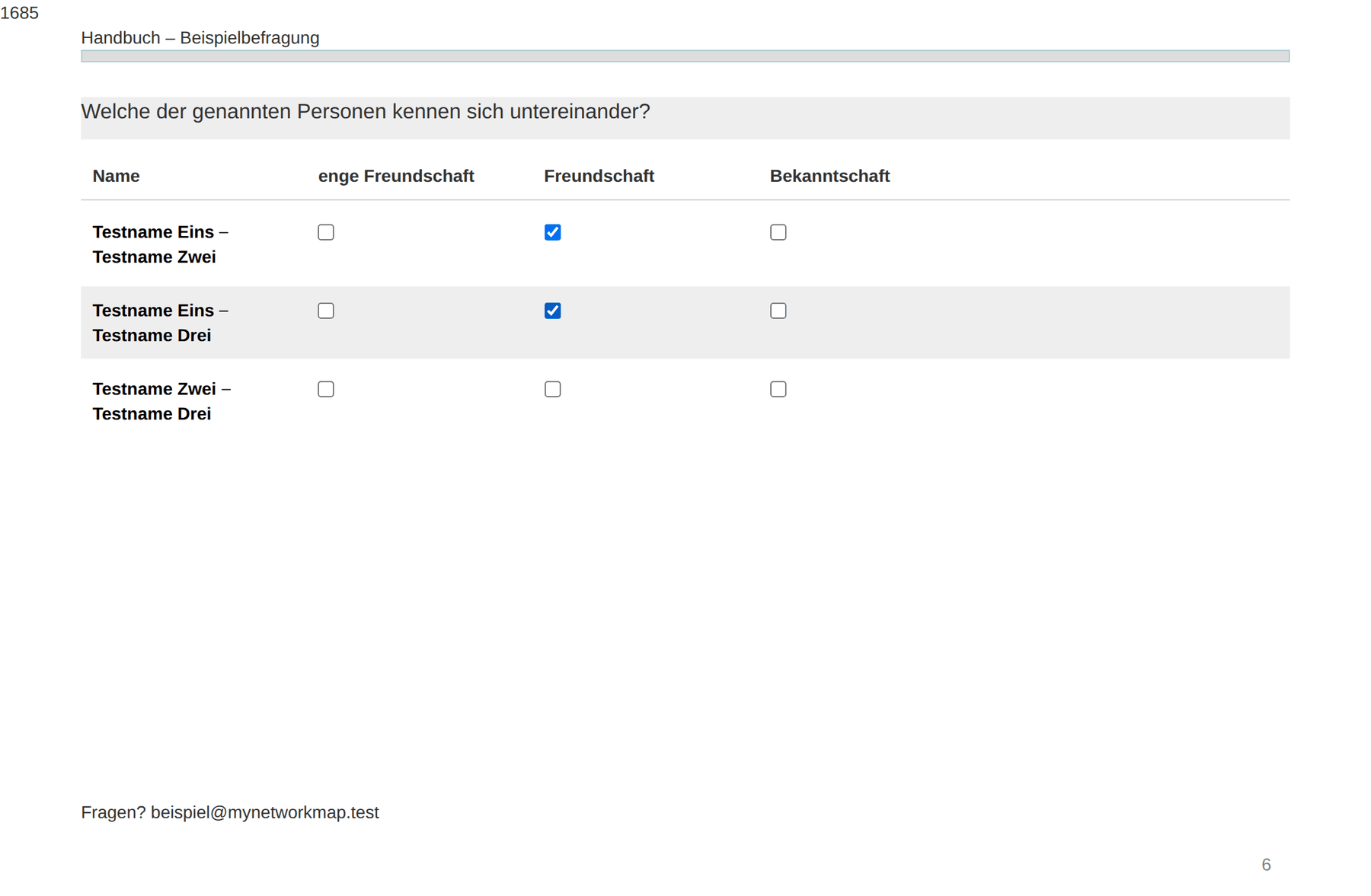
Do the arithmetic before asking this question. The number of pairs grows quadratically:
People named Pairs 3 3 5 10 8 28 12 66 With three values on the relation attribute, eight nominations mean 84 checkboxes on one page. Either limit the nominations or drop the alter-alter question – in a whole-network study it is partly redundant anyway, because the people named are usually surveyed themselves.
Further elements
| Type | Purpose |
|---|---|
| Display a text | A pure display element: welcome, interstitial text, thanks |
| Network visualization (only alteri) | A graphic of the named people and their connections |
| Network visualization (ego-alter-alter) | The same graphic, plus ego |
| Filter: Stop interview | Ends the interview when a condition holds – with no visible display |
| Create survey links … (snowball) | Snowball sampling: creates a questionnaire link for every named person |
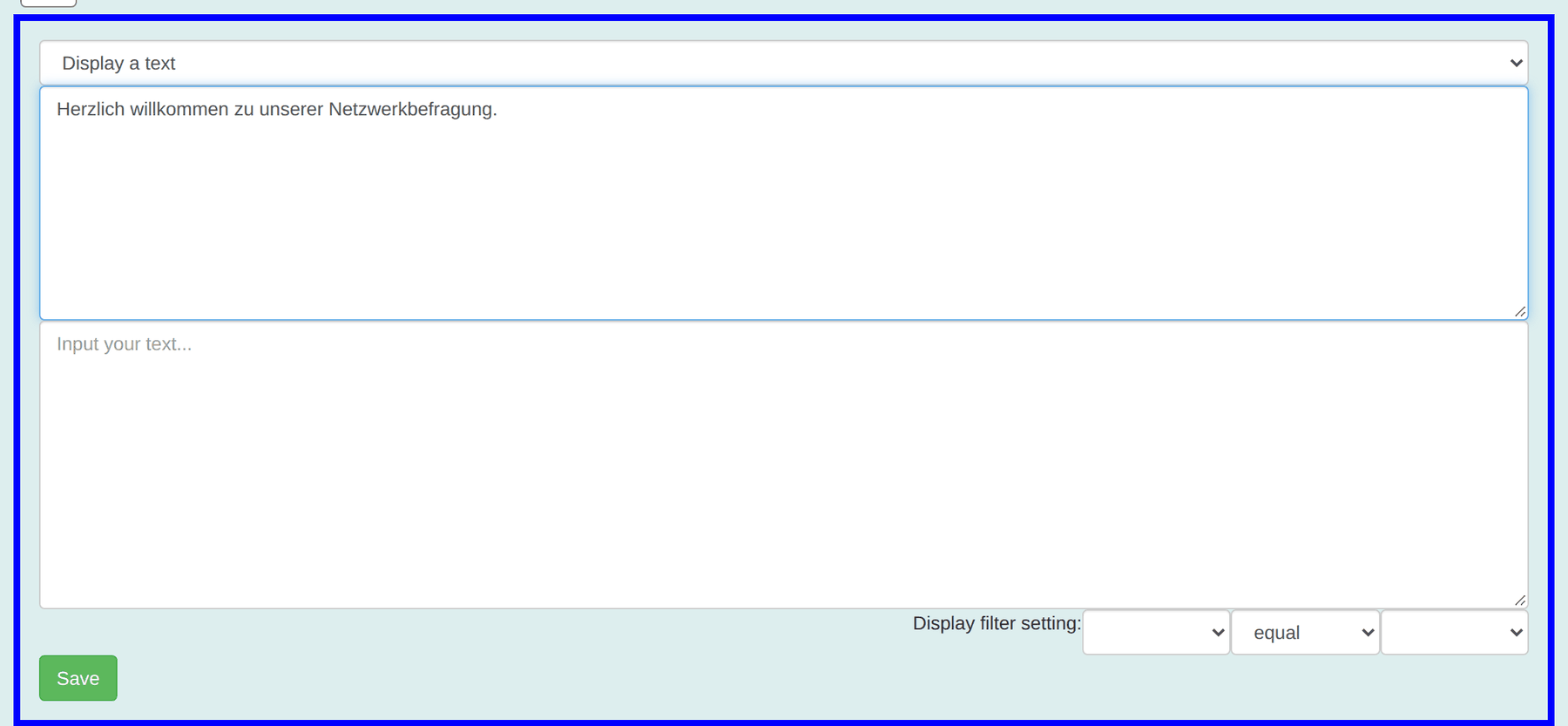
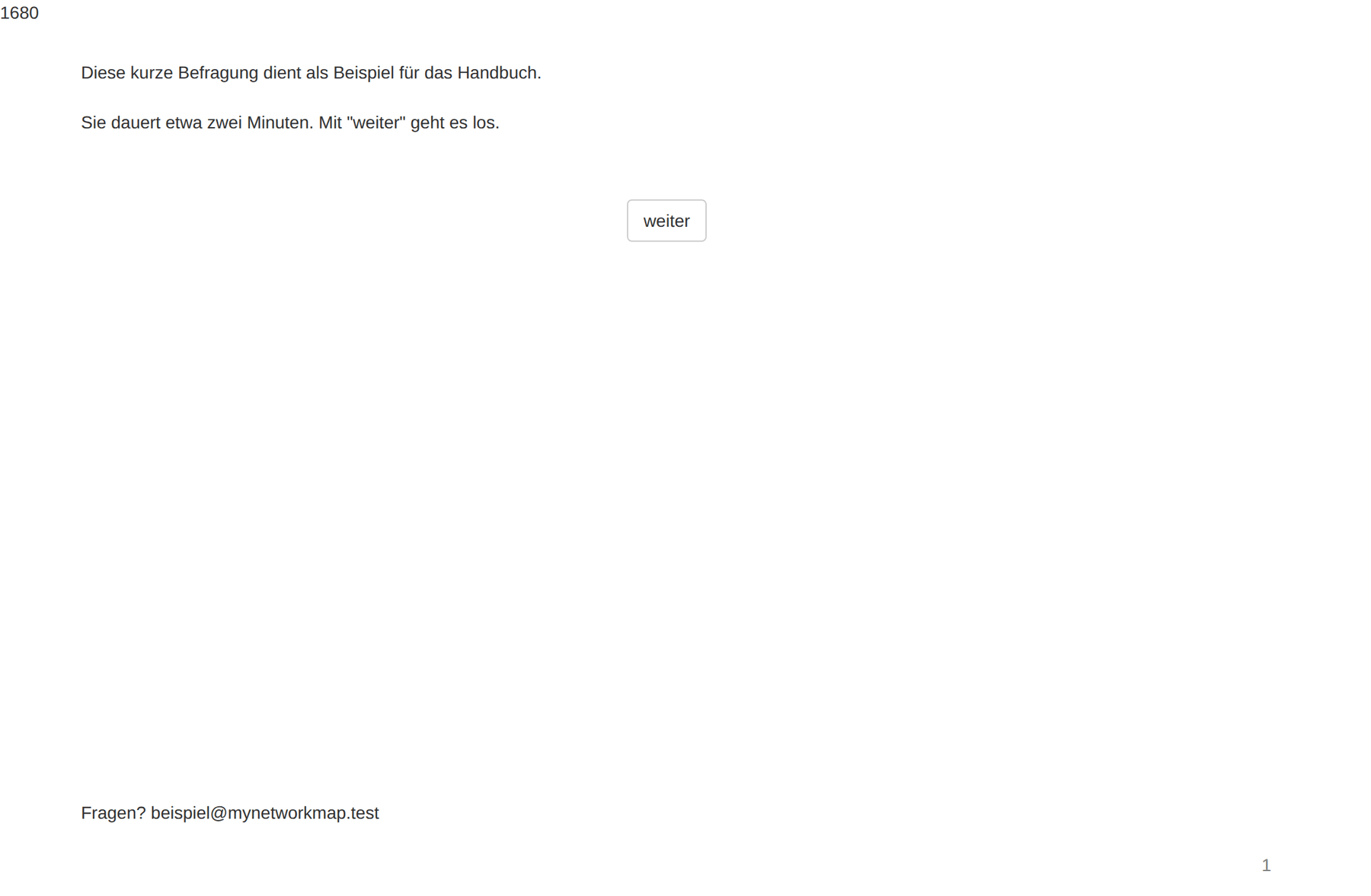
Caution with snowball sampling: this element may send invitations to the people named while the questionnaire is being filled in – that is, to people who never consented. Use it only once the configuration and data protection are settled.
The interview from the respondent's side
The participation link starts the interview without signing in. Every page shows a progress bar at the top, the page's elements below it and the buttons back and next at the bottom. Their labels and the header and footer are set through Header / Footer / Navigation.
If a required question stays empty, the hint text appears and the page stays where it is.
Progress is saved. Someone who interrupts the interview and opens the link again later lands exactly on the page where they stopped. Convenient for respondents. For testing it means: a test link once walked through does not start over – use a dedicated test actor and delete it afterwards.
What happens to the answers
- Every interview produces an ego actor – or, with individual links, uses the existing actor.
- Every person named in the name generator becomes an alter actor – newly created with free recall, the existing actor with a roster.
- Answers to ego and name interpreter questions become attribute values.
- Answers to ego-alter and alter-alter questions become relations.
Every questionnaire also creates technical attributes: survey_<name>,
survey_actorType_<name> with its _ego and _alter variants, and
questionnaireLink_<name>. These belong to the questionnaire and should not be
deleted.
You find the data afterwards in the actor table and display it on the network map. Response rate and answer distributions are shown by the Survey results module.
Checklist before sending
- Questionnaire filled in completely yourself, with a test actor.
- Test interviews deleted, test actor deleted.
- Proxy user set in the organisation.
- Questionnaire activated.
- For a whole-network study: actor records complete, individual links generated after the last deletion of interviews.
- Required questions checked – especially on alter-alter questions.
- Header and footer state purpose, voluntariness, duration and a contact address.