Dashboard
The dashboard is the start page after signing in. It has one job: to get you into the right module quickly. Everything it shows is also reachable from the sidebar – the dashboard just presents the same destinations as large, easy targets.
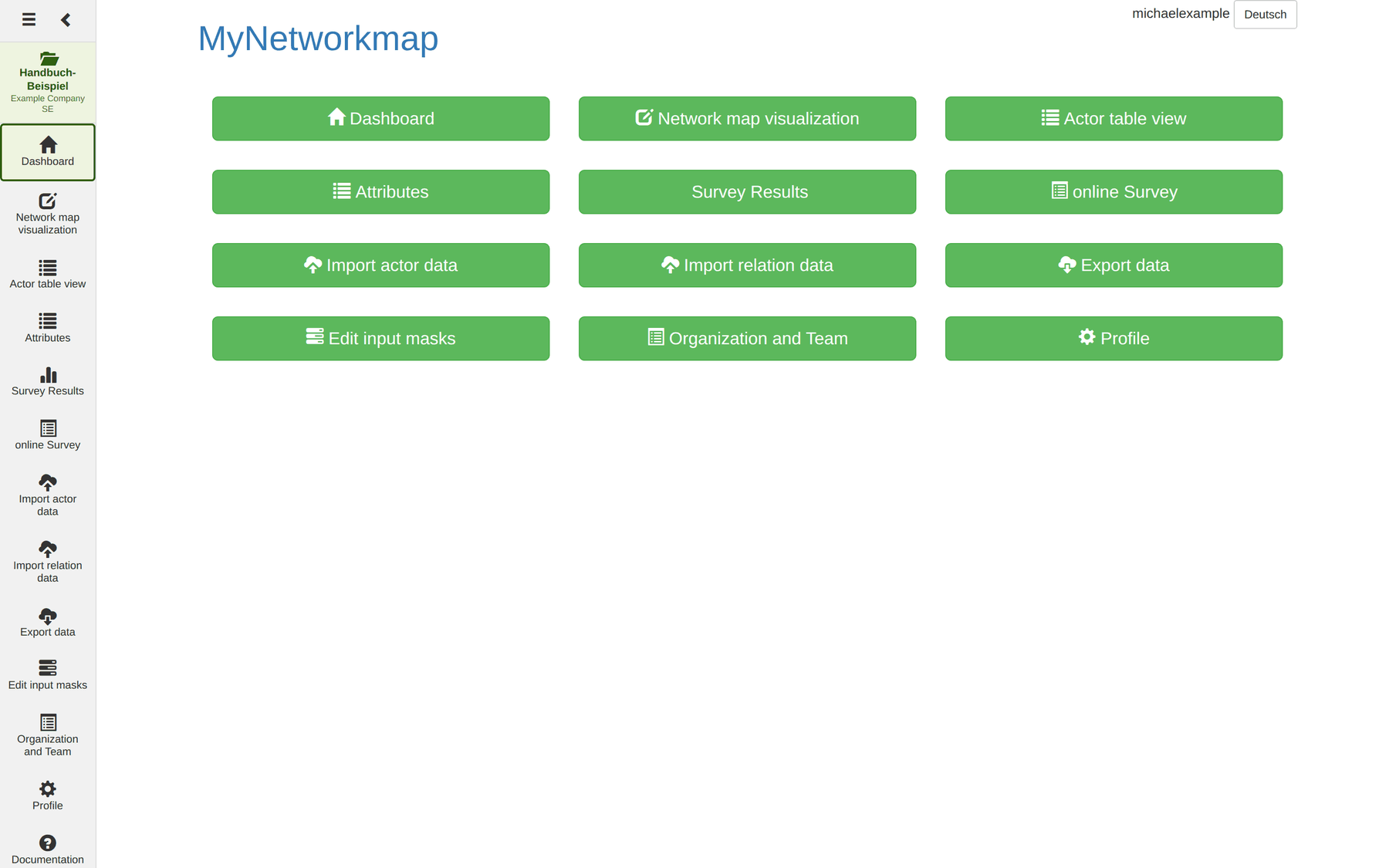
The tiles
Each tile leads to a module. Which tiles appear depends on two things: your organisation's plan and your role in the project. Modules your plan does not include are not shown at all.
| Tile | Chapter |
|---|---|
| Dashboard | this page |
| Network map | Network map |
| Actors | Actors |
| Attributes | Attributes |
| Survey statistics | Survey results |
| Online questionnaire | Online questionnaire |
| Import actors | Import |
| Import relations | Import |
| Export | Export |
| Define input masks | Input masks |
| Organisation and team | Organisation and team |
| Profile | Profile |
The sidebar
The sidebar on the left stays with you throughout the application.

From top to bottom:
| Element | Function |
|---|---|
| ☰ (burger) | Show and hide the menu |
| ❮ | Narrow the menu to icon width |
| Project tile | Shows the active project and, below it, the organisation; a click leads to the project list |
| Module list | The modules in fixed order |
| Documentation | Opens this manual |
| Logout | Sign out |
The project tile is the most important element in the whole interface. Almost every module works exclusively with the data of the project named there: the actor table shows its actors, the import writes into it, the network map draws its relations. A glance at it before every write action saves a lot of cleaning up.
The header and the language switch
Two elements sit at the top right of the dashboard: your user name as plain text, and next to it the language switch. The button is labelled with the language it switches to – if it says Deutsch, the interface is currently in English.
The language switch exists only here. The other modules do not have it, so to change the language you go to the dashboard first. The choice then holds for the whole session.
Note: the switch only affects the interface. Your own data – attribute names, attribute values, question texts – stay in the language you created them in. And some modules are labelled in English regardless; see the introduction.
For your user account – login name, email address, password – go to the Profile module; the name in the header is not a link.
When no project is active
If you have no project yet, or your last one has been archived, MyNetworkmap redirects you to the project list. Only a few modules work without an active project, because they operate across projects:
- Projects
- Profile
- Organisation and team
All other modules need a project and send you back there otherwise.